
AI Recruiter for Candidate Outreach: How to Personalize at Scale and Get More Replies
Cold outreach is recruiting’s most-ignored task — the average sourcing message gets around a 4% reply rate, according to widely cited industry benchmarks. An AI recruiter drafts personalized, multi-step outreach across email, LinkedIn and SMS so more of the right candidates actually reply.

Teams that let the tool do its job see reply rates climb from roughly 4% to 15-20%, while recruiters get back close to two hours they used to spend writing each message by hand. AI assists; a human still makes the final hiring decision and checks the process for bias and EEOC compliance.
What an AI Recruiter Does for Candidate Outreach
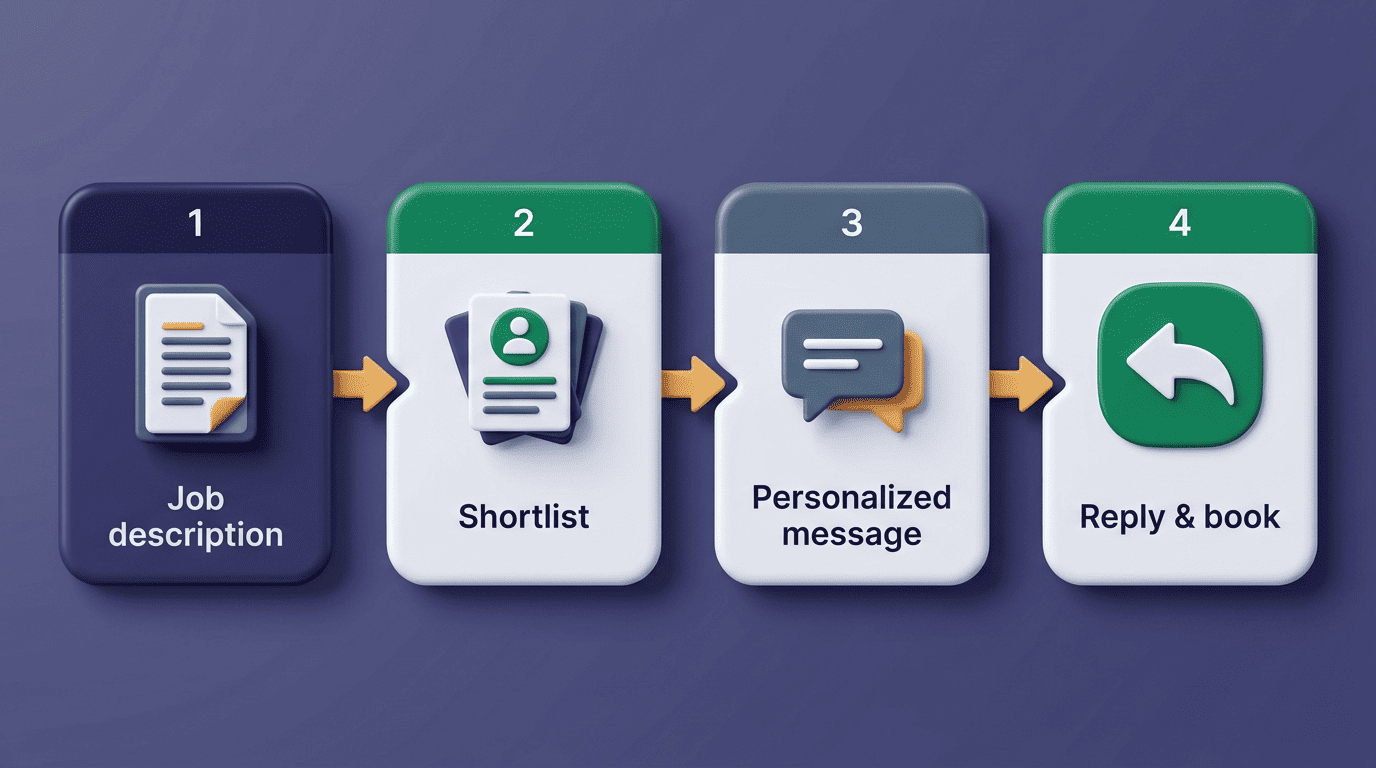
An AI recruiter turns a role or job description into a targeted candidate list, drafts a personalized first message plus follow-ups, and sends them on a schedule. That’s a meaningfully different job than a template mail-merge — the tool decides who to contact, what to say to each person, and when to nudge again.
From a job description to a sent sequence
Platforms like Juicebox, GoPerfect and hireEZ each pull from a database in the hundreds of millions to over a billion profiles, aggregated from dozens of sources, to build the shortlist before a single message goes out. The AI recruiting assistant reads the job description, extracts the must-have skills and seniority, and matches them against that pool rather than waiting for a recruiter to run manual searches one at a time.
Handling replies and booking
Beyond sending, these tools detect replies, sort interested from not-interested, and can book interviews directly onto a calendar. Fetcher and similar tools run the full cycle of sourcing, sequencing, reply handling and scheduling, with the recruiter mainly setting the criteria and approving the shortlist. A typical cycle covers:
- Parsing the job description into search criteria
- Building a shortlist from hundreds of millions of profiles
- Drafting a personalized first message and follow-ups
- Sending on a schedule across channels
- Detecting replies and routing interested candidates to a calendar
How AI Personalizes Outreach at Scale
Real personalization uses candidate signals — current role, specific skills, recent activity, mutual context — not just a first-name token dropped into a template. That distinction is what separates a message that reads as researched from one that reads as spam, and it’s the main reason reply rates diverge so sharply between tools.
It reads candidate signals before it writes. An AI candidate outreach platform pulls a person’s current title, recent posts, shared connections or skills listed on their profile and works those details into the opening line, so the message references something specific to that candidate rather than the role in general.
It varies structure, not just names. Multi-step sequences built on these signals can deliver up to three times more replies, according to Juicebox’s own product data — the lift comes from relevance, not from sending more messages.
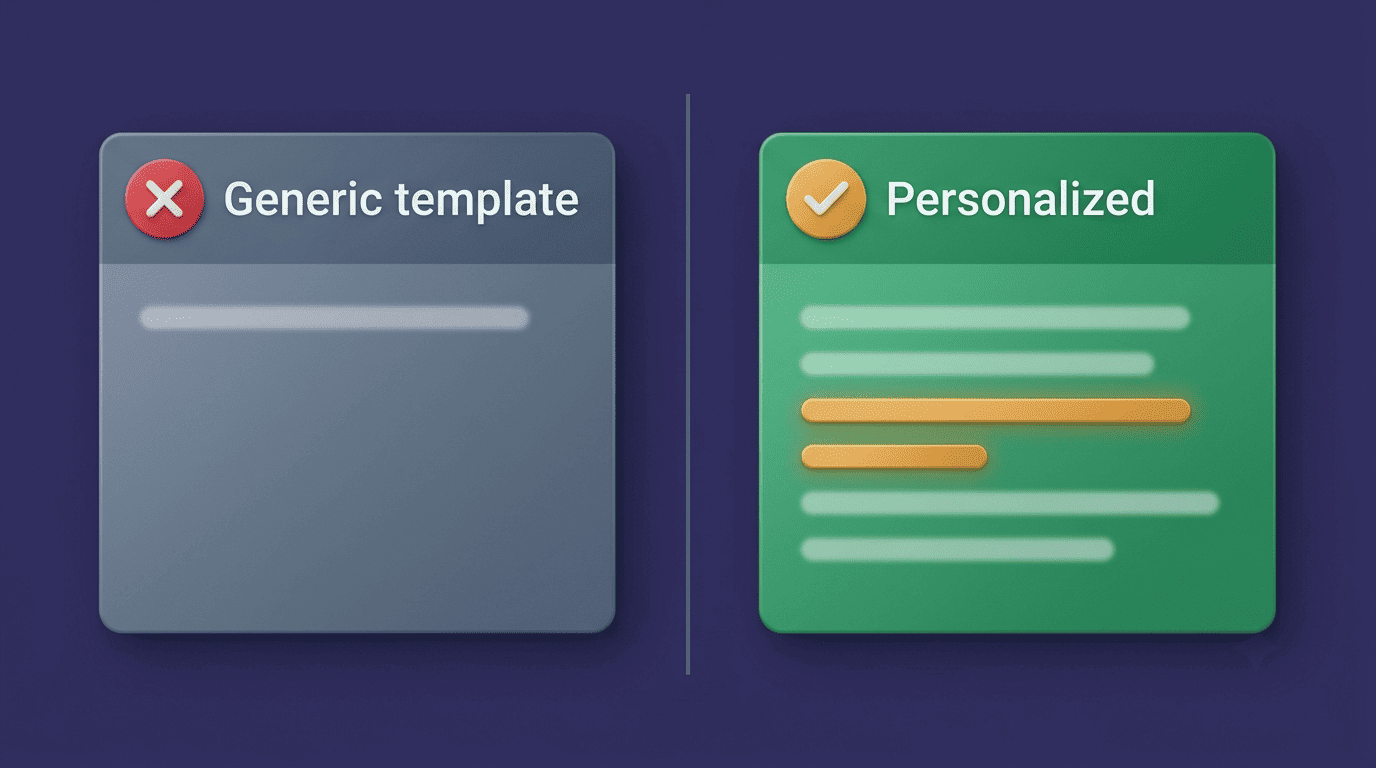
It adapts tone to seniority. A message to a junior engineer and one to a VP of Engineering shouldn’t read the same; the better platforms adjust formality and length based on the candidate’s level.
One job description, many tailored messages
Tools like ZipRecruiter’s Smart Outreach turn a single job description into a personalized message series and send up to three automatic follow-ups, so hiring teams start conversations without manual writing for every opening. The feature was built specifically to close the gap between posting a role and getting a first response, per ZipRecruiter’s own product announcement.
Reply Rates and Time Saved: The Numbers
The baseline cold-outreach reply rate sits around 4%; a tool that personalizes well pushes that number to 15-20%. GoPerfect reports a 55% acceptance rate versus a 29% industry average for connection and outreach requests, a gap it attributes directly to signal-based personalization rather than volume.
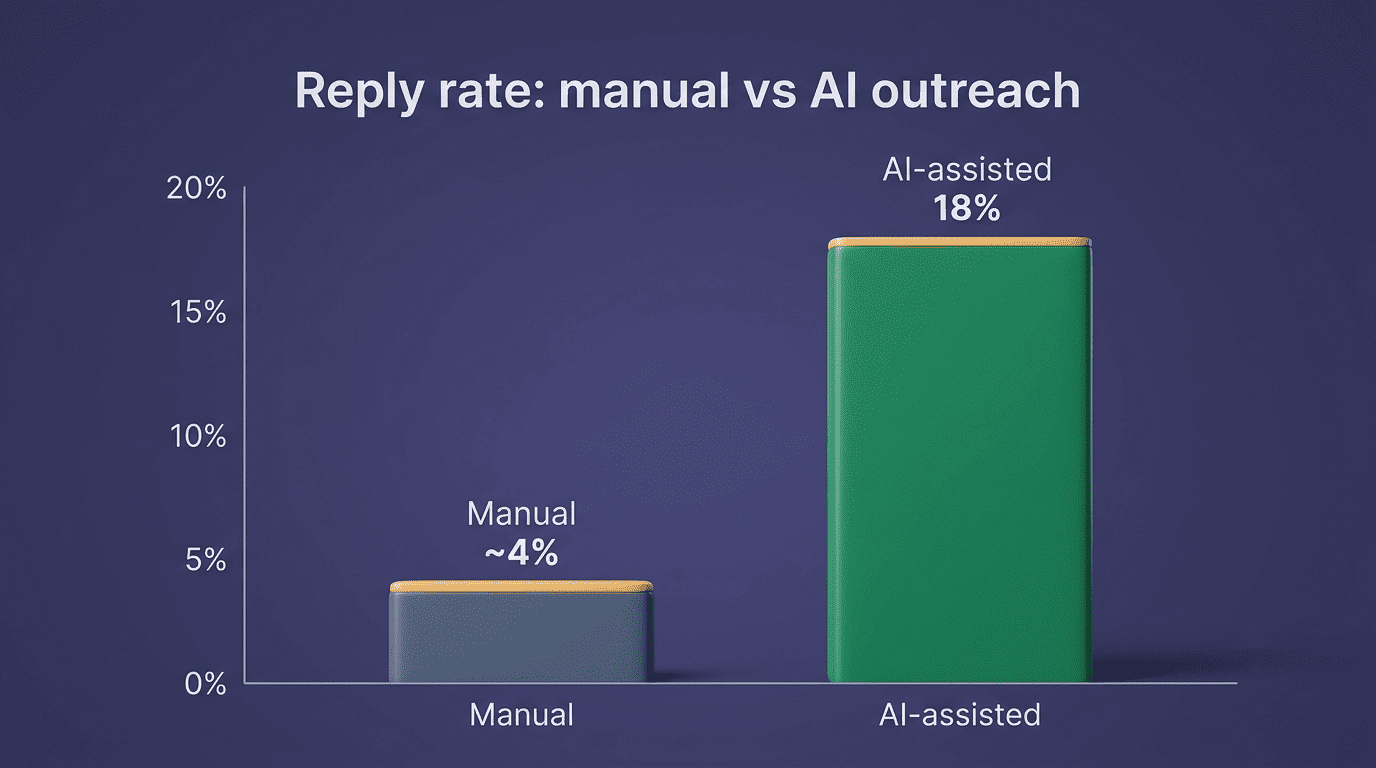
| Metric | Manual outreach | AI-assisted outreach |
|---|---|---|
| Reply rate | ~4% | 15-20% |
| Time per message | ~2 hours | Minutes (draft + review) |
| Weekly sourcing hours | 13-30 hours | Reduced via automated shortlisting |
| Connection acceptance rate (GoPerfect) | 29% (industry avg.) | 55% |
Hours back in the week
Recruiters spend 13 to 30 hours a week on sourcing and roughly two hours writing each carefully personalized message. Automating drafting and sequencing is where teams report the largest time-to-hire reductions, and case studies like Phenom’s write-up of Alight’s hiring — 1,000-plus hires in six weeks with automation in place — show what that compounding effect looks like at scale.
Multi-Channel Sequences: Email, LinkedIn, SMS
Most replies come from follow-ups, not the first touch. An AI recruiter spaces a sequence across channels — a LinkedIn message, an email, a text — and stops automatically the moment a candidate responds, so nobody gets a duplicate message on two platforms at once.
Why sequencing beats one-and-done
A single message, no matter how well written, competes with dozens of others in a candidate’s inbox on any given day. Spacing touches across a week and across channels gives the same candidate several honest chances to notice and respond, instead of one. For channel-specific tactics, see our guide to using an AI recruiter on LinkedIn.
Keeping cadence human
Good tools cap the number of touches — ZipRecruiter sends up to three — and respect quiet hours so outreach reads as attentive rather than as spam. A sequence that fires at 11 p.m. or repeats five times in a week erodes trust faster than it builds interest, even when the copy itself is well personalized.
Sourcing the Right Candidates to Message
Outreach only works if it reaches the right people first, which is why sourcing and messaging are usually built as one workflow rather than two separate tools.
Passive talent is the bigger pool
Most qualified people aren’t actively applying for jobs; passive candidates are far more likely to convert into hires once they’re properly engaged with a specific, relevant reason to talk. AI sourcing scans hundreds of millions of profiles to surface these people, ranking them by fit before anyone drafts a message.
Precision search without perfect syntax
Natural-language and Boolean sourcing narrow a list to genuinely relevant people before outreach begins, which keeps reply rates high by making sure the message only reaches candidates who actually match the role. Common signals a sourcing tool filters on include:
- Current job title and years in role
- Specific skills or certifications listed on a profile
- Recent job changes or promotions
- Shared connections, schools, or former employers
- Public activity such as posts or comments on relevant topics
Learn the underlying mechanics in our AI recruiter Boolean search guide.
Fitting Into Your ATS and Workflow
An AI recruiter should write candidate activity back into your applicant tracking system — Greenhouse, Lever, Workday, Bullhorn — so notes, statuses and messages live in one place instead of scattered across a separate tool.
Two-way sync, no double entry
Juicebox alone lists 50-plus ATS and CRM integrations, and Greenhouse’s own integrations marketplace lists more than 450 integrations across the hiring stack. Two-way sync matters because a recruiter working from an outdated candidate list will re-contact someone who already declined, which does more damage to a company’s reputation than sending no message at all. Systems commonly synced in both directions include:
- Applicant tracking systems such as Greenhouse, Lever, and Workday
- Staffing-focused ATS platforms such as Bullhorn
- CRM tools used to manage passive-candidate relationships
- Calendar systems for interview scheduling
How to Write AI Outreach That Gets Replies
A tool can draft a message, but a recruiter still has to check that the message actually sounds like it’s from a person who read the profile. The checklist below is the same one experienced sourcers use whether or not AI wrote the first draft.
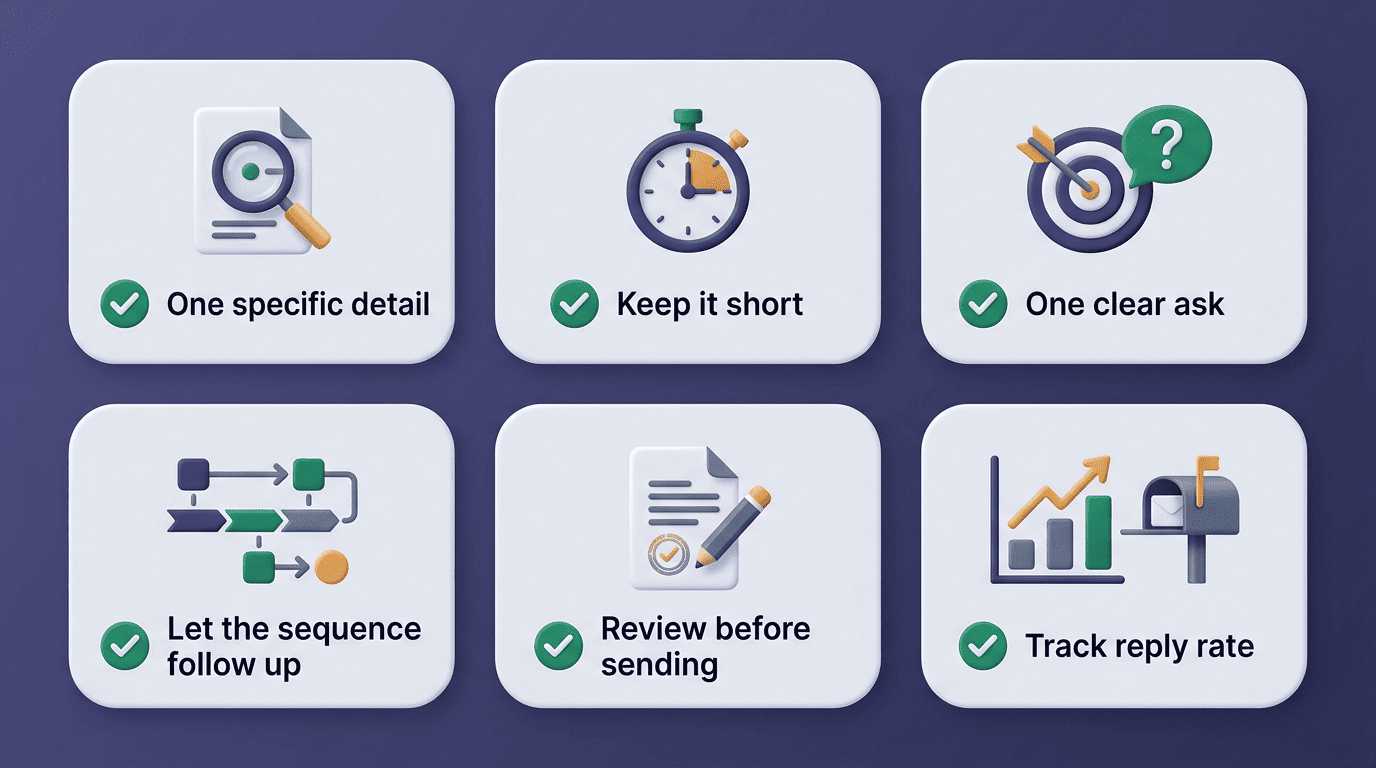
- Lead with one specific, true detail about the candidate — a project, a skill, a recent post — not a generic compliment.
- Keep the message short enough to read in fifteen seconds on a phone screen.
- Make exactly one clear ask, such as a fifteen-minute call, not three questions at once.
- Let the sequence, not a single email, carry the follow-up — most replies come from touch two or three.
- Review every AI-drafted message before it sends; the model proposes, the recruiter approves.
- Track reply rate by sequence variant so you know which openers actually work.
- Retire or rewrite any sequence that falls below your baseline reply rate after two weeks.
Bias, EEOC and Keeping a Human in the Loop
Automated outreach and screening tools have to be checked for bias against candidates in protected groups, the same way any hiring practice does. This is the point in the process where AI recruiter for candidate outreach adoption carries real legal and ethical weight, not just a productivity upside.
Age discrimination is unjust and unlawful. Even when technology automates the discrimination, the employer is still responsible.
Charlotte A. Burrows, then-Chair, U.S. Equal Employment Opportunity Commission
The guardrails that matter
The core principles that responsible AI recruiting vendors design around are fairness, transparency, accountability and privacy — and none of them are optional extras layered on top of the product. A tool that can’t explain why it ranked one candidate above another, or that draws from historical hiring data reflecting past bias, can quietly reproduce discrimination at outreach volume instead of catching it. AI assists; a human makes the final hiring decision and checks for bias and EEOC compliance.

That human check matters for trust as much as for compliance — candidates who suspect a message came from an unmonitored bot are less likely to engage, and surveys on AI in hiring have found a meaningful share of both candidates and recruiters say heavy-handed automation erodes their confidence in the process.
How to Choose an AI Recruiter for Outreach
Not every team needs the same tool, and price differences across the category are large enough that the wrong pick either overpays for features you won’t use or underdelivers on the one thing you actually need — reliable replies.
| Criterion | What to check | Example pricing |
|---|---|---|
| Personalization quality | Uses real signals, not just merge fields | — |
| Channel coverage | Email, LinkedIn, SMS in one sequence | — |
| ATS integration | Two-way sync with your existing system | — |
| Explainability | Can it show why a candidate was ranked or contacted | — |
| Price | Per-seat vs. per-role billing | Juicebox ~$119-139/user/mo; SeekOut ~$833/seat/mo; GoPerfect ~$250-300/role |
What to weigh
Judge tools on personalization quality, channel coverage, ATS integration, explainability — can it tell you why a candidate was picked — and price, which ranges from roughly $119-139 per user per month for Juicebox to $833 per seat per month for SeekOut to per-role pricing like GoPerfect’s $250-300. A general-purpose AI recruiting assistant can cover drafting and sequencing well before a team is ready to commit to a heavier enterprise sourcing suite. Before signing a contract, confirm the vendor can answer these questions:
- Can it explain why a specific candidate was ranked or contacted?
- Does pricing scale by seat, by role, or by message volume?
- Which ATS and CRM systems does it sync with out of the box?
- What controls exist for reviewing bias in outreach and screening?