
AI Recruiter for Small Business Hiring: How to Hire Faster Without an HR Team
Small business owners wear the recruiter hat with no HR team and no time. An AI recruiter is software that screens resumes, sources candidates, writes job posts and schedules interviews automatically — so a one-person hiring effort works like a full team.
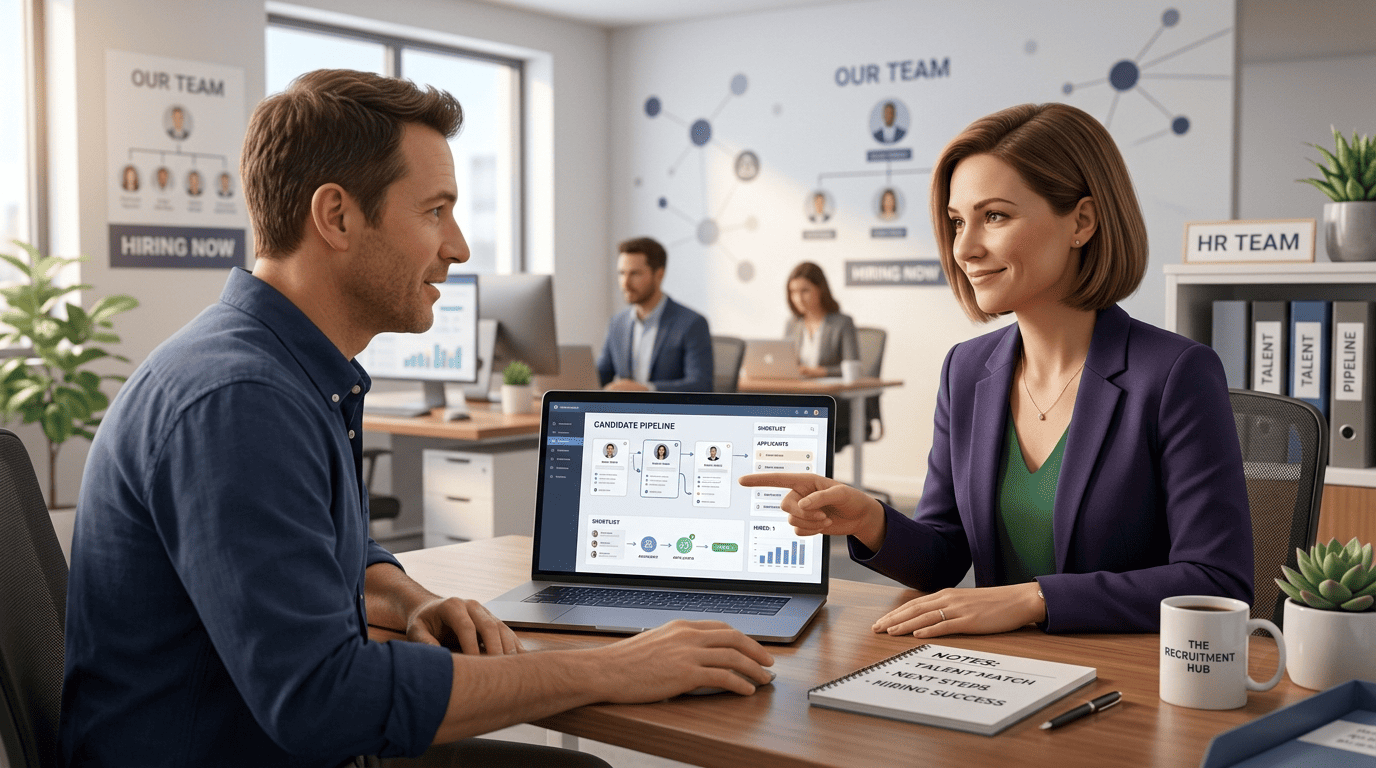
Yes, AI is a realistic option for small teams: businesses using AI recruiting software report roughly 30% lower cost-per-hire and up to 50% faster time-to-hire, and AI adoption in HR is accelerating fast even among small employers, according to the Society for Human Resource Management’s 2026 State of AI in HR research. The catch worth stating up front: AI assists, but a human still makes the final hiring decision and checks the process for bias and EEOC compliance.
What an AI Recruiter Actually Does for a Small Business
The “extra recruiter” for teams that don’t have one
An AI recruiter — also called an AI recruiting assistant or AI recruiting software — automates the repetitive parts of hiring: resume screening, sourcing, outreach, scheduling and first-round questions. Think of it as a capable junior resourcer that handles roughly 60% of the legwork, leaving a human the 40% that requires judgment: reading between the lines on a resume, weighing culture fit, making the offer call.
Adoption is already mainstream at this end of the market. Roughly a third of small and mid-sized businesses now put budget toward AI-enabled recruiting tools, and 65% of recruiters overall say they already use AI somewhere in their hiring workflow. The category is growing fast too — the AI recruitment software market was valued at $630.5 million in 2022 and is projected to reach $839.5 million by 2028. The newer generation of these tools also leans agentic: instead of just flagging a promising resume, agentic AI takes the next step itself — drafting the outreach email or booking the interview slot — without a recruiter clicking through each stage.
How it fits with (or replaces) an ATS
Most AI recruiters are built into, or layered on top of, an Applicant Tracking System (ATS). For a small business, the common shape is a lightweight “mini ATS plus AI” combo: one place to post a job, collect applicants and get an AI-ranked shortlist back within minutes. Natural language processing (NLP) is what makes this usable without a recruiting background — you can search “candidates with 3+ years of retail management and a food handler’s certificate” in plain English instead of building a boolean string.
The Payoff: Faster, Cheaper Hiring
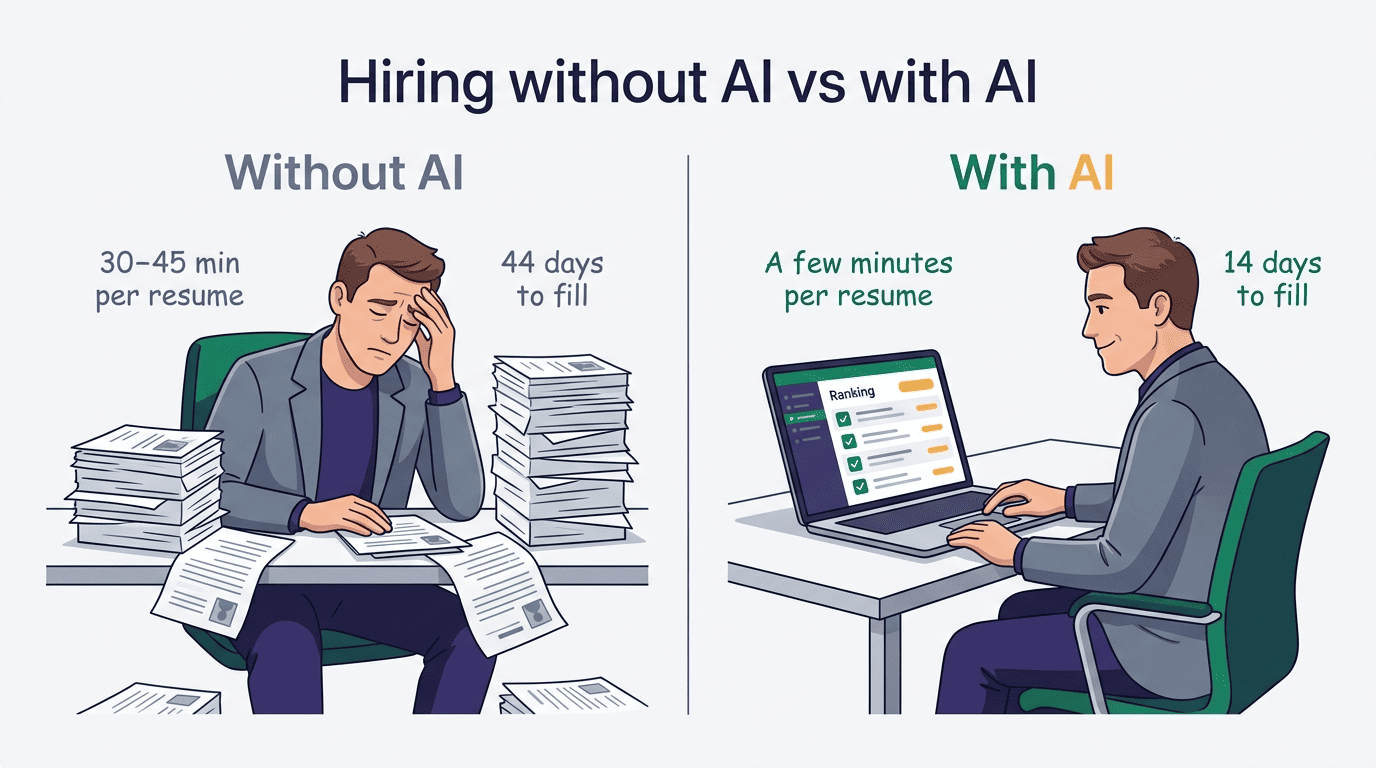
Screening time collapses first. Manually reviewing a resume takes 30 to 45 minutes; AI-assisted review cuts that to a few minutes per candidate, because the software does the first pass and a human only reads the shortlist.
Time-to-first-interview drops sharply. Reported field results include up to a 90% reduction in time-to-first-interview, roughly 2 hours and 10 minutes saved per applicant reviewed, and a 14-day average fill time against a 44-day benchmark — a 68% cut. That speed matters for small employers specifically: strong candidates are typically off the market within about 10 days, and 40% of employers say they’ve lost a candidate to a faster-moving competitor.
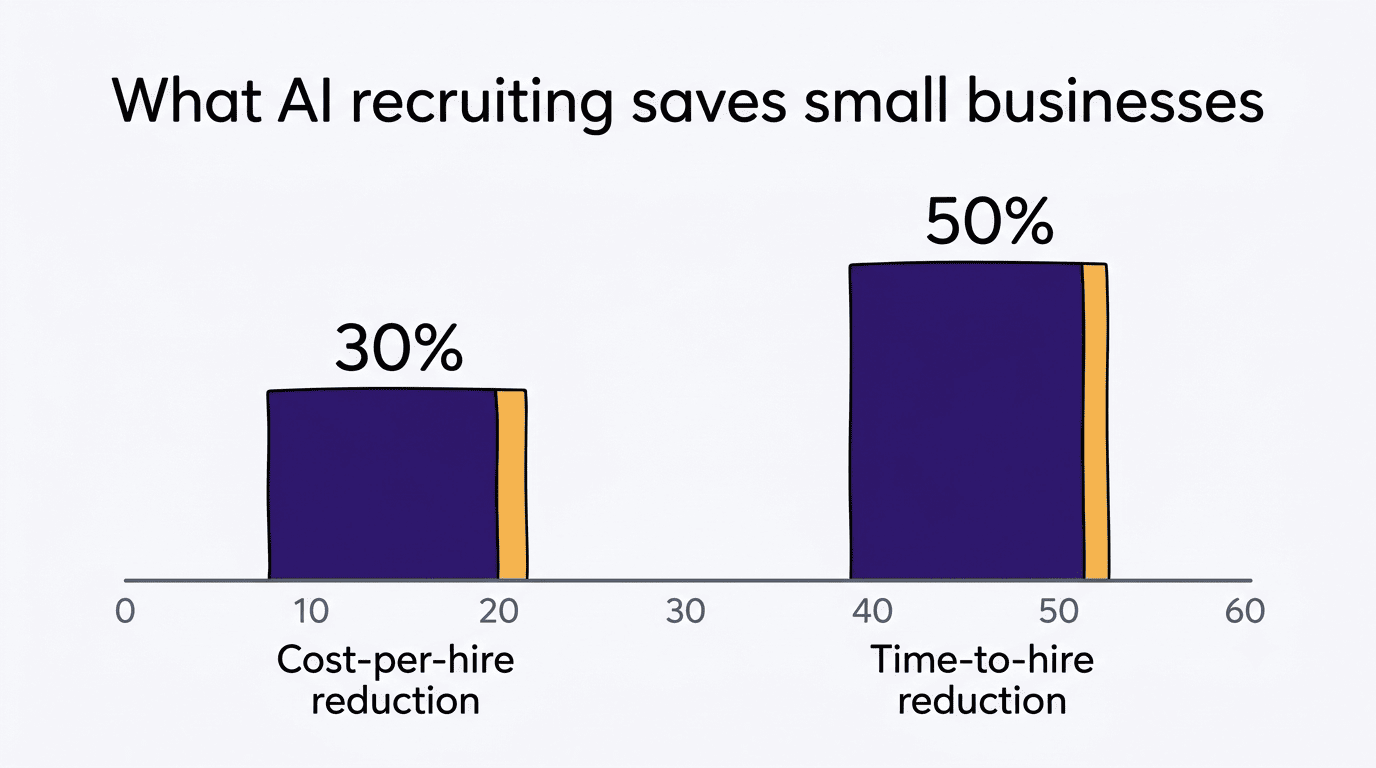
Cost-per-hire moves in the same direction, with a real floor underneath it. The average cost-per-hire across US employers is about $4,700, and the average time to fill a role runs roughly 42–44 days across recent SHRM benchmarking data. Businesses using AI recruiting report 20–40% lower cost-per-hire and around 30% faster hiring. The number worth holding onto as a counterweight: a bad hire typically costs 6 to 9 months of that role’s salary once you count lost productivity, retraining and turnover — which is the real argument for spending a little more time getting the shortlist right, AI-assisted or not.
| Metric | Without AI (typical) | With AI recruiting software |
|---|---|---|
| Resume review time | 30–45 min per candidate | A few minutes per candidate |
| Time to first interview | Baseline | Up to 90% faster |
| Average time to fill a role | ~42–44 days | ~14 days reported by some AI adopters |
| Cost-per-hire | ~$4,700 average | 20–40% lower reported |
The Core Tasks an AI Recruiter Automates
In practice, an AI recruiter’s job breaks down into a handful of repeatable tasks:
- Resume screening and ranking against a role
- Job description generation and outreach copy
- Candidate sourcing from large talent databases
- Interview and screening-call scheduling
- Structured first-round AI interviews or skills assessments
Resume screening and candidate ranking
AI parses incoming resumes, ranks them against the role’s requirements, and surfaces a shortlist in minutes instead of days. The transparency risk is real and worth naming: some tools are effectively black boxes that don’t explain why a candidate ranked high or low, which makes it harder to catch and correct bias later. If you want the mechanics of how ranking actually works, see this breakdown of AI resume screening.
Writing job descriptions and outreach
The same software that screens resumes usually generates job descriptions and personalized outreach emails in seconds, and keeps applicants warm with a chatbot that answers routine questions — cutting typical response time from days to minutes. A slow, generic job post is one of the easiest places for a small business to lose candidates before the interview stage even starts; a deeper look at writing job descriptions with AI covers how to keep the output specific instead of generic.
Sourcing passive candidates
AI sourcing tools scan large talent databases to surface passive candidates — people not actively job-hunting but who match a role’s profile. Workable’s AI Recruiter searches roughly 400 million profiles; other platforms claim 750 million to 850 million-plus. That kind of reach is simply not something a solo hiring manager can replicate by hand.
Scheduling and first-round AI interviews or assessments
Auto-scheduling removes the email back-and-forth of finding a mutual time slot, and AI interviewers or skills assessments can run structured first rounds around the clock. One caution belongs here: some jurisdictions, including Illinois, require disclosure and the candidate’s consent before AI can analyze a video interview — covered in more detail in the compliance section below.
How to Choose an AI Recruiter (and What It Costs)
Picking a tool comes down to matching it to your actual hiring volume rather than chasing the most features. A business hiring two people a year and one hiring twenty a month need different tools, and the wrong fit is where most of the wasted spend happens.
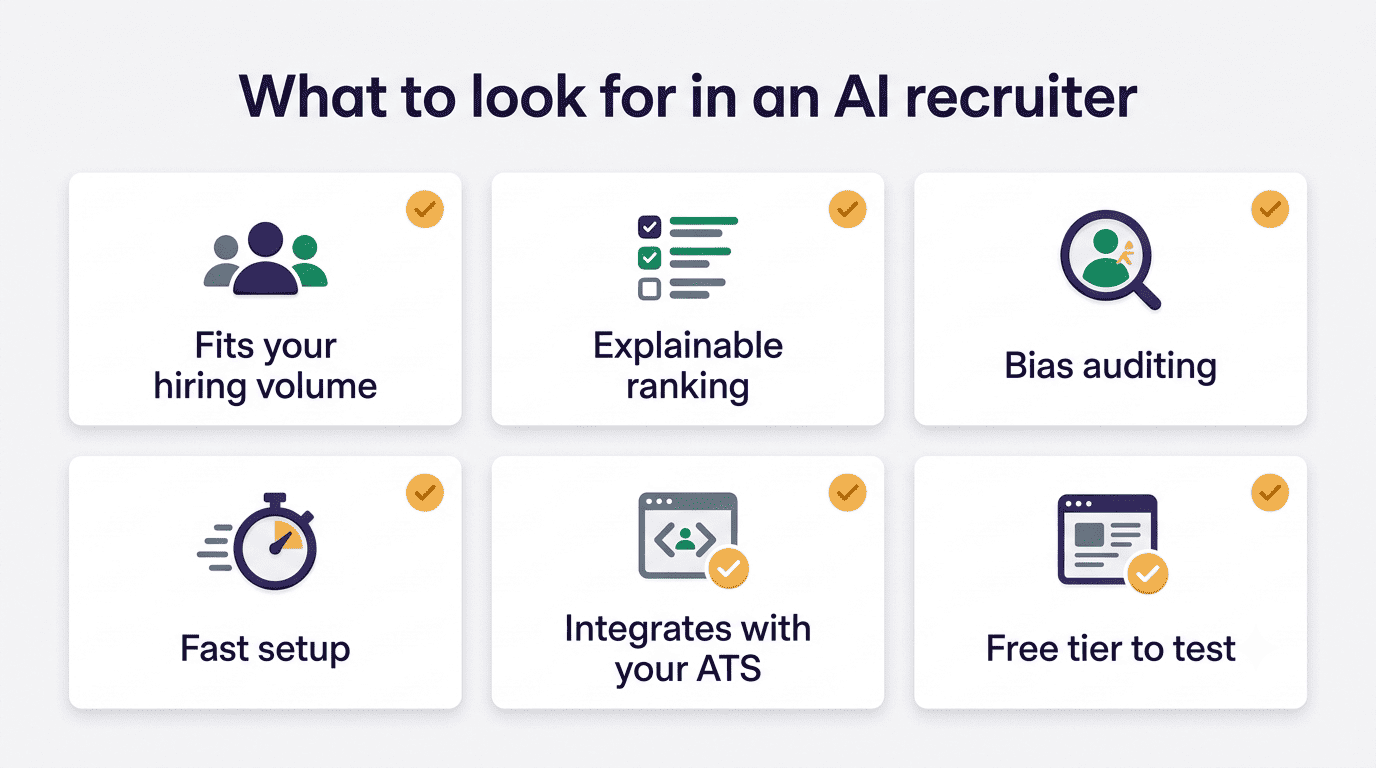
For a small business, check these before signing up:
- Fits your actual hiring volume, not a bigger company’s
- Ranking is explainable rather than a black box
- Includes bias auditing
- Goes live fast — minutes to hours, not weeks
- Integrates with your existing ATS, email and job boards
- Offers a free or low-cost tier to test before committing
Watch for hidden costs, too — implementation fees and add-ons can run close to 3x the advertised sticker price on some platforms.
Pricing for small teams generally falls into a predictable range: SMB-focused AI recruiting software runs about $15–75 per user per month, and entry-level plans start around $100–300 per month. A few concrete examples of what that looks like:
- Zoho Recruit — free plan, premium tiers from about $25/mo
- Breezy HR — free plan available
- JazzHR — plans starting around $75/mo
- Manatal — around $15 per user/mo
Enterprise recruiting suites, by contrast, run $10,000 or more per year — usually far more than a small business needs.
| Plan type | Typical monthly cost | Fits |
|---|---|---|
| Free tier | $0 | Testing the workflow, occasional hiring |
| SMB plan | $15–75/user/mo | Regular hiring, 1–20 employees |
| Entry business plan | $100–300/mo | Small teams with steady hiring volume |
| Enterprise suite | $10,000+/yr | Large HR departments, high volume |
The Human Part: Bias, EEOC and Staying Compliant
Where AI hiring goes wrong
Algorithmic bias is the main risk, and it’s structural rather than accidental: AI is only as unbiased as the data it was trained on, and historical hiring data can bake in — and then automate — past discrimination at scale. The US Equal Employment Opportunity Commission (EEOC) has pursued complaints involving AI tools that screened out older or disabled applicants; Title VII of the Civil Rights Act and the Americans with Disabilities Act still apply in full to a decision made or informed by software.

New technologies should not become new ways to discriminate.
Charlotte A. Burrows, then-Chair, U.S. Equal Employment Opportunity Commission
Rules you should know
A growing patchwork of state and local laws now governs AI in hiring:
- New York City requires bias audits and candidate disclosure for automated employment decision tools
- Illinois requires employers to disclose AI use, explain how it works, and get the candidate’s consent before using it to analyze a video interview
- Colorado’s revised AI law, taking effect in 2027, requires notice, human review and recordkeeping when AI materially influences a hiring decision
- California now applies its existing anti-discrimination rules explicitly to AI and automated decision systems used in hiring
- Maryland requires an applicant’s signed consent before an employer can use facial recognition technology during a job interview
The EEOC’s Artificial Intelligence and Algorithmic Fairness Initiative and New York City’s Local Law 144 guidance are useful starting points if you want the primary source rather than a summary. The practical takeaway stays the same regardless of jurisdiction: AI assists, a human makes the final hiring decision, and someone on your team is responsible for checking the process for bias and EEOC compliance before an offer goes out.
How to Get Started in a Week
You don’t need a full HR stack to start. A single open role and a free or low-cost tier is enough to test whether AI recruiting fits how you hire, and most tools go live in anywhere from five minutes to a few hours rather than weeks. As a rough split, expect AI to carry about 60% of the workload and a human to own the remaining 40% — the judgment calls.
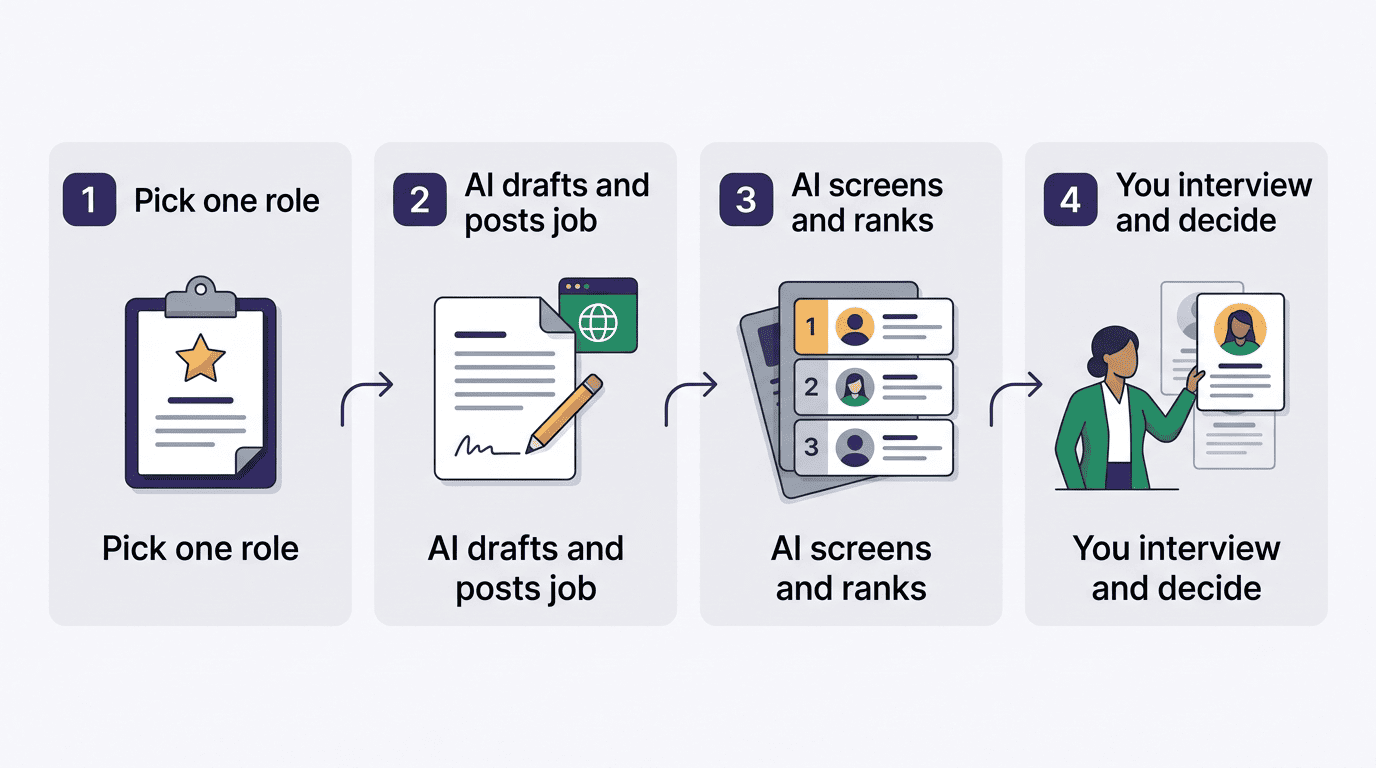
- Pick one open role and sign up for a free or low tier
- Let the AI draft the job description and post it to your boards
- Let it screen and rank incoming applicants
- Review the AI-generated shortlist yourself before moving anyone forward
- Use the tool to schedule interviews and run structured first-round questions
- Interview the finalists yourself and make the final call, with a quick bias check on the shortlist before you do